


Trading notes are designated to help traders record and review their orders, which is an essential way to reflect and make progress. Follow this guide to learn how to use this function, it will be of great help to your future trade.
Click here to know more about “Post” and “Note”
App
Step 1 Click “Note”
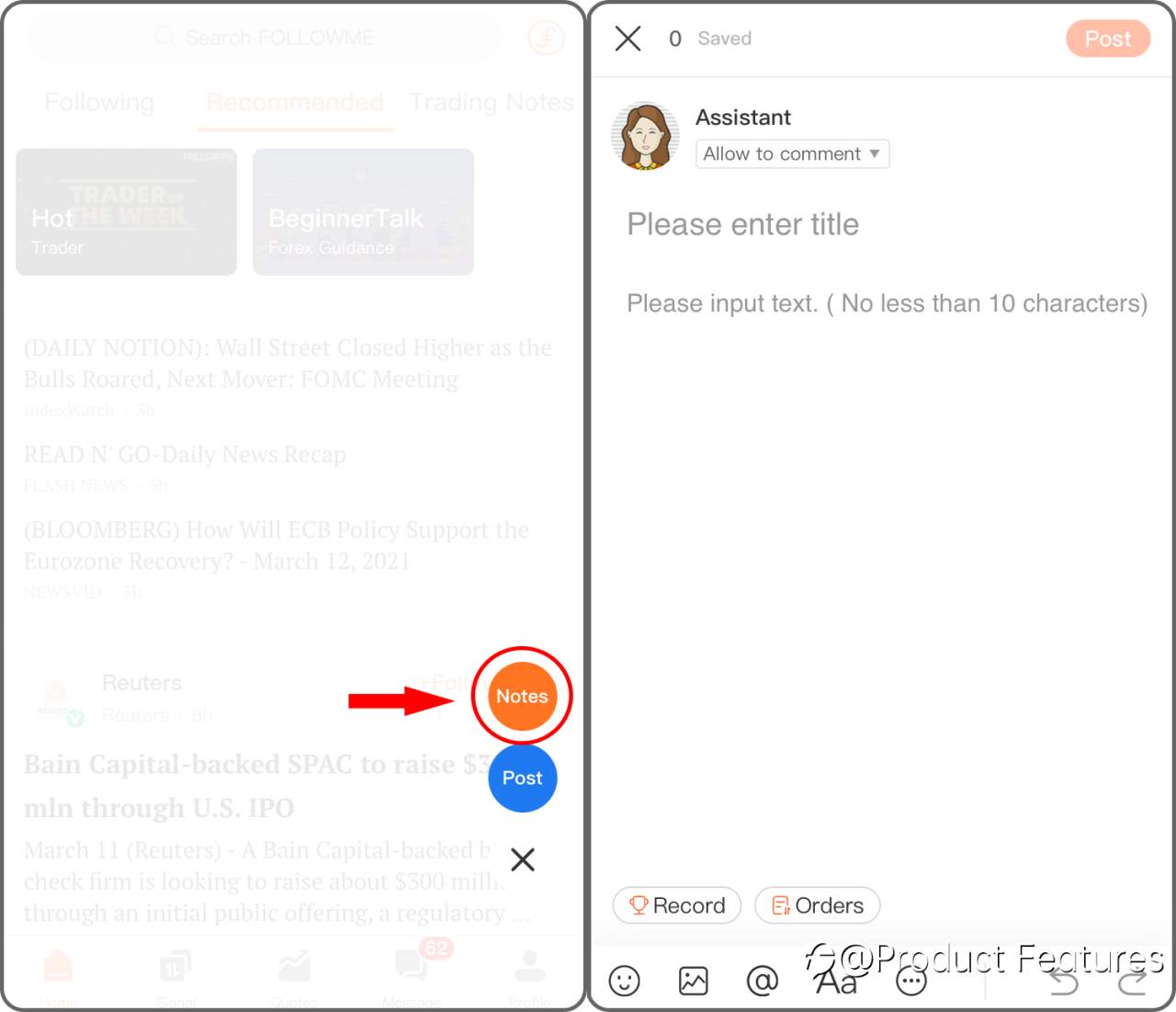
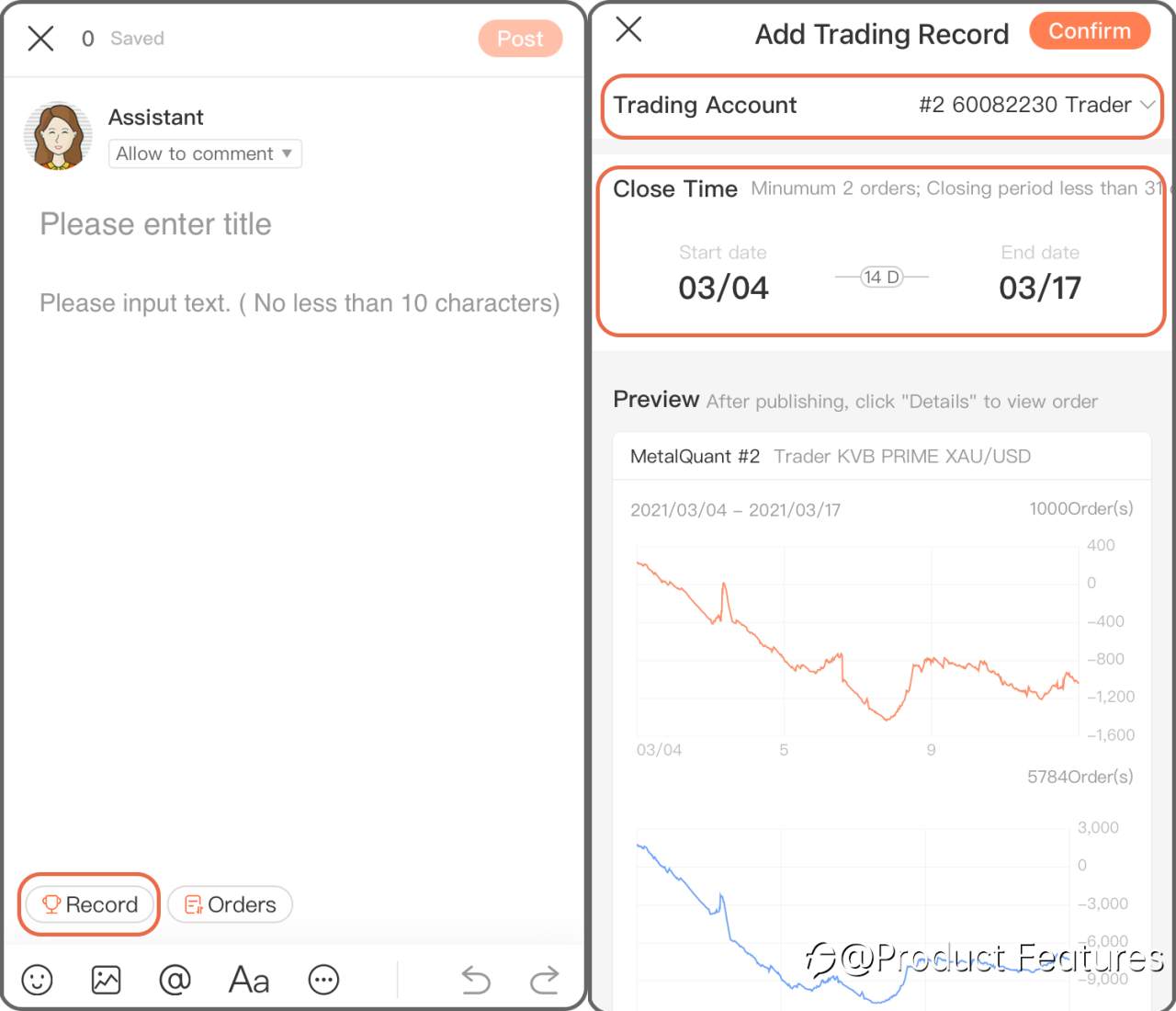
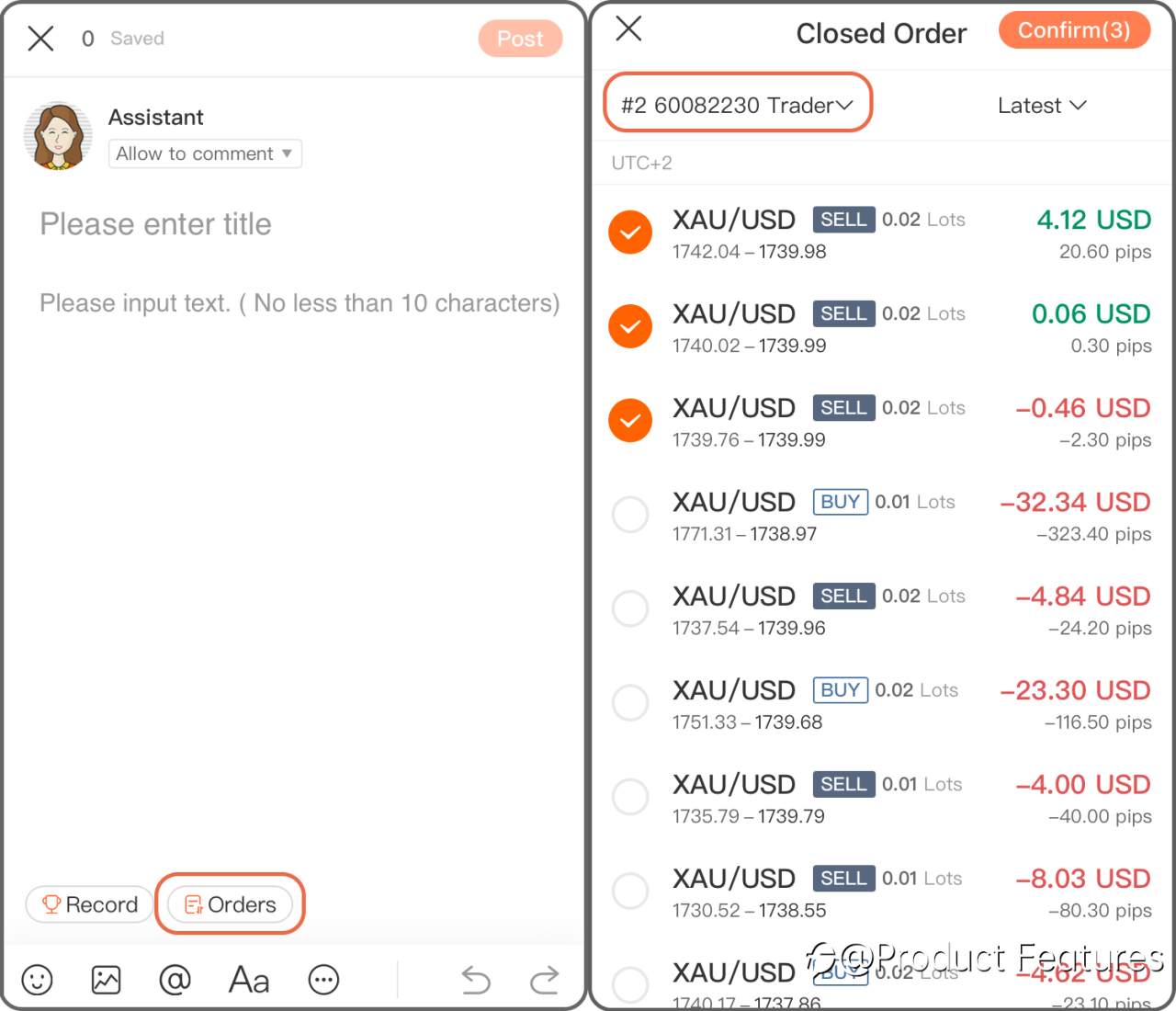
Step 2 Chose “Record” to add a trading history in a period of time; if you only want to add a single order, click “Order” then.
Trading Record: Select a trading account,and choose the date.Minumun 2 orders; Closing period less than 31 days.
Trading Order: Choose a live account and select orders.
Web
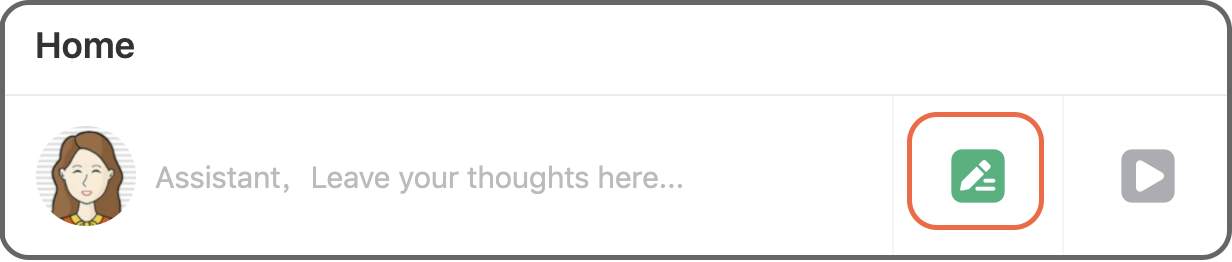
Step 1 Click the green“pencil” button.
Step 2 Click “Record” to insert a trading history in a certain period of time, if you only want to add a single order, click “Order” then.
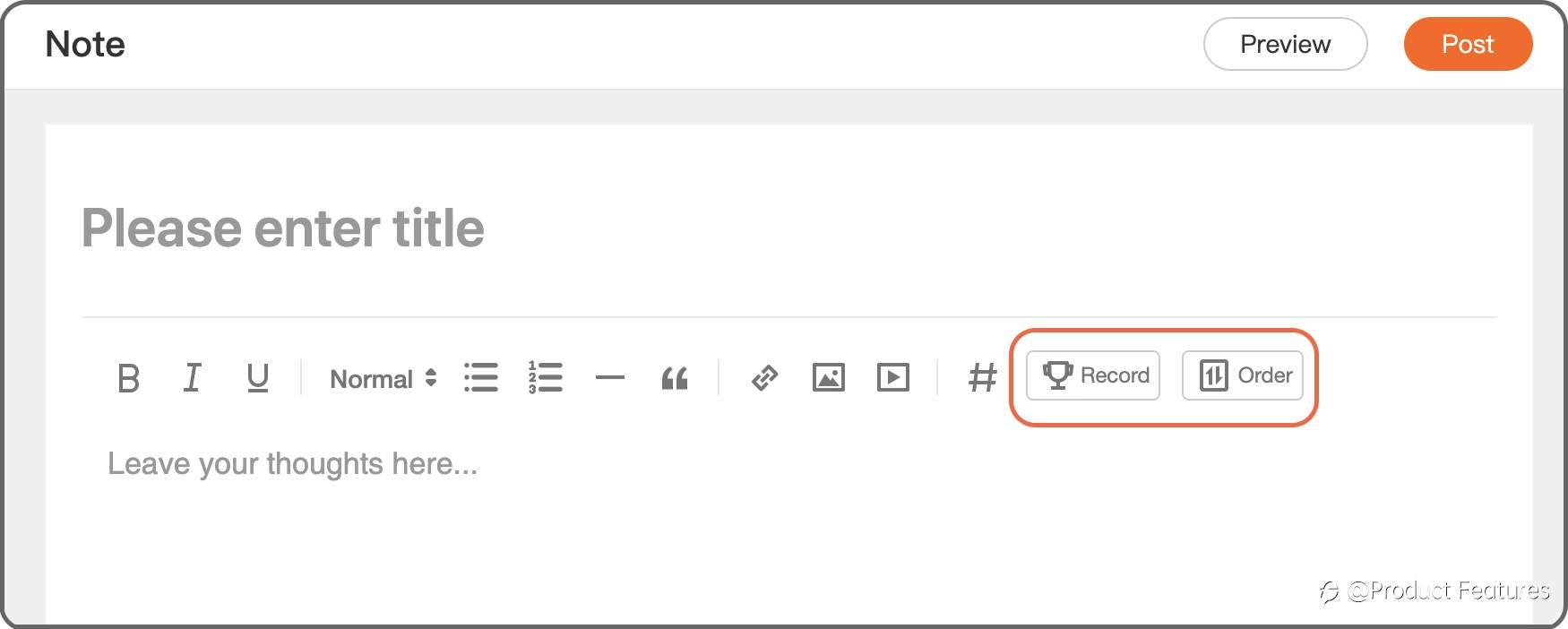
Trading Record: Select a trading account, and choose the date.Minimum 2 orders; Closing period less than 31 days.
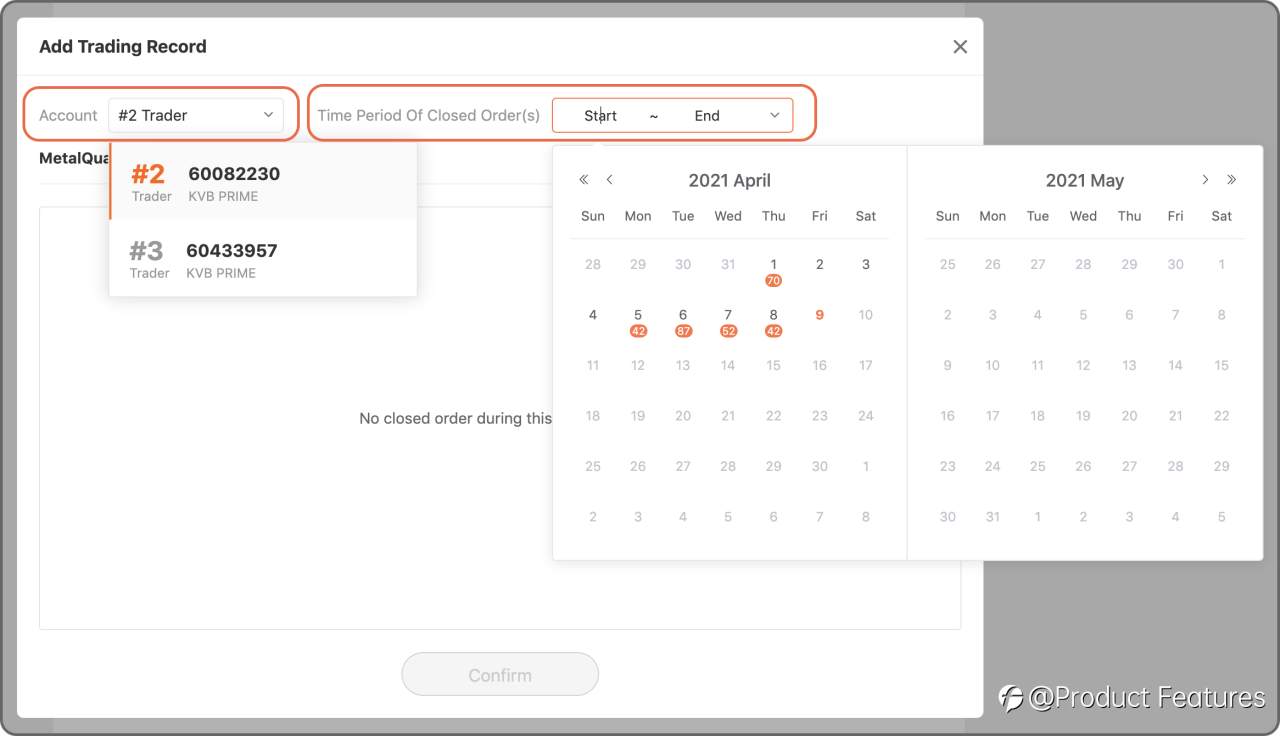
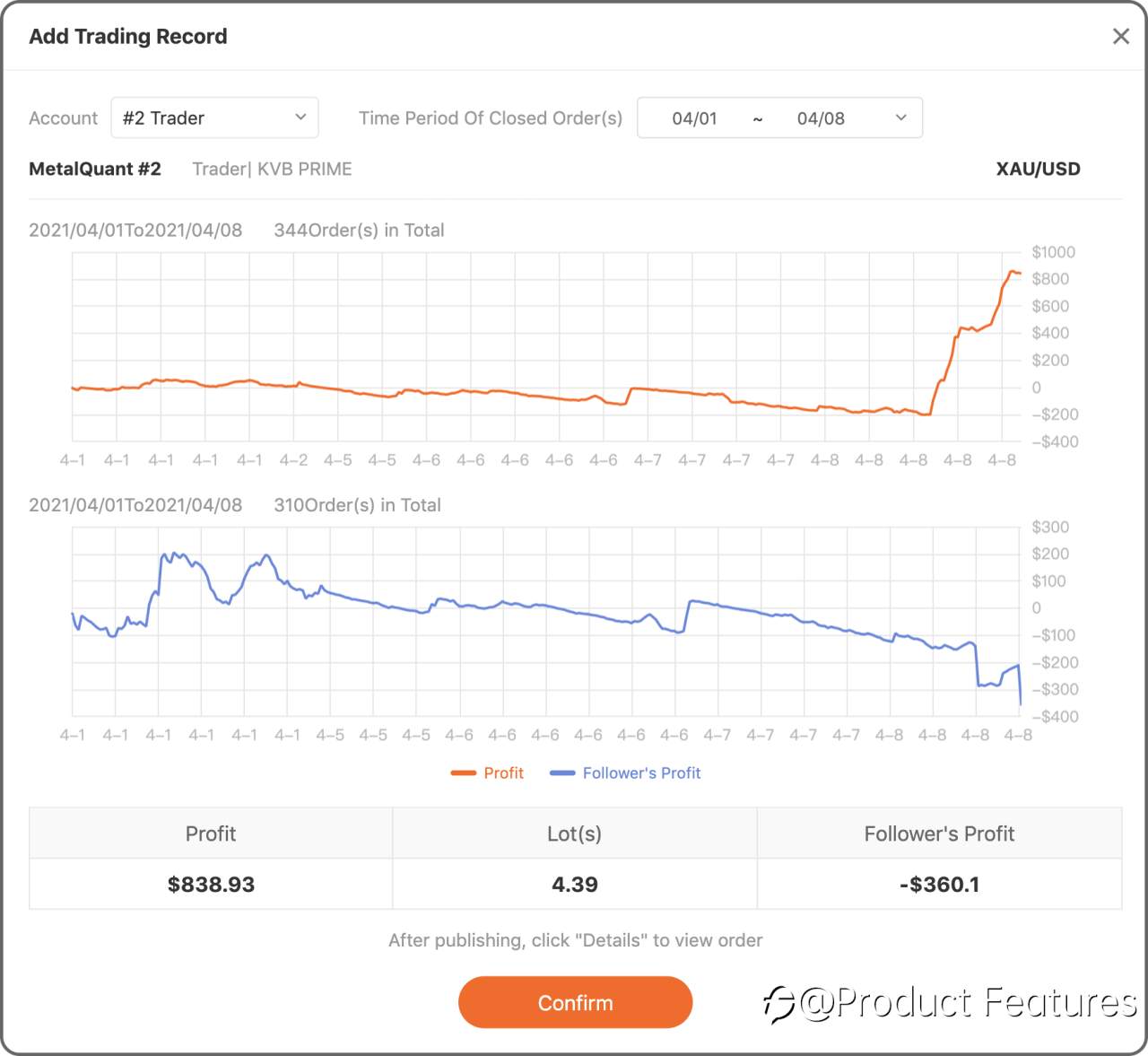
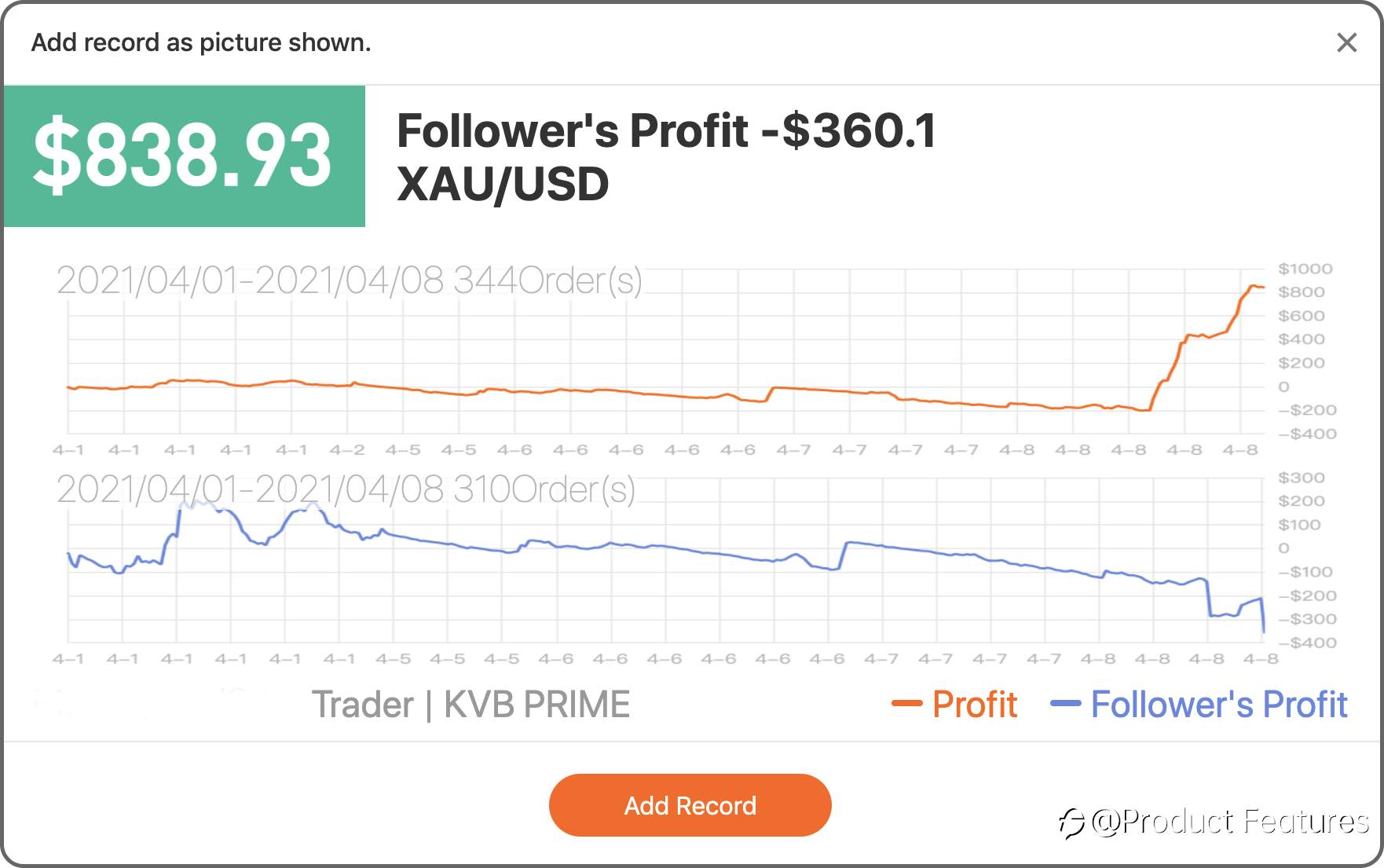
Trading Order: Choose a live account and select orders.
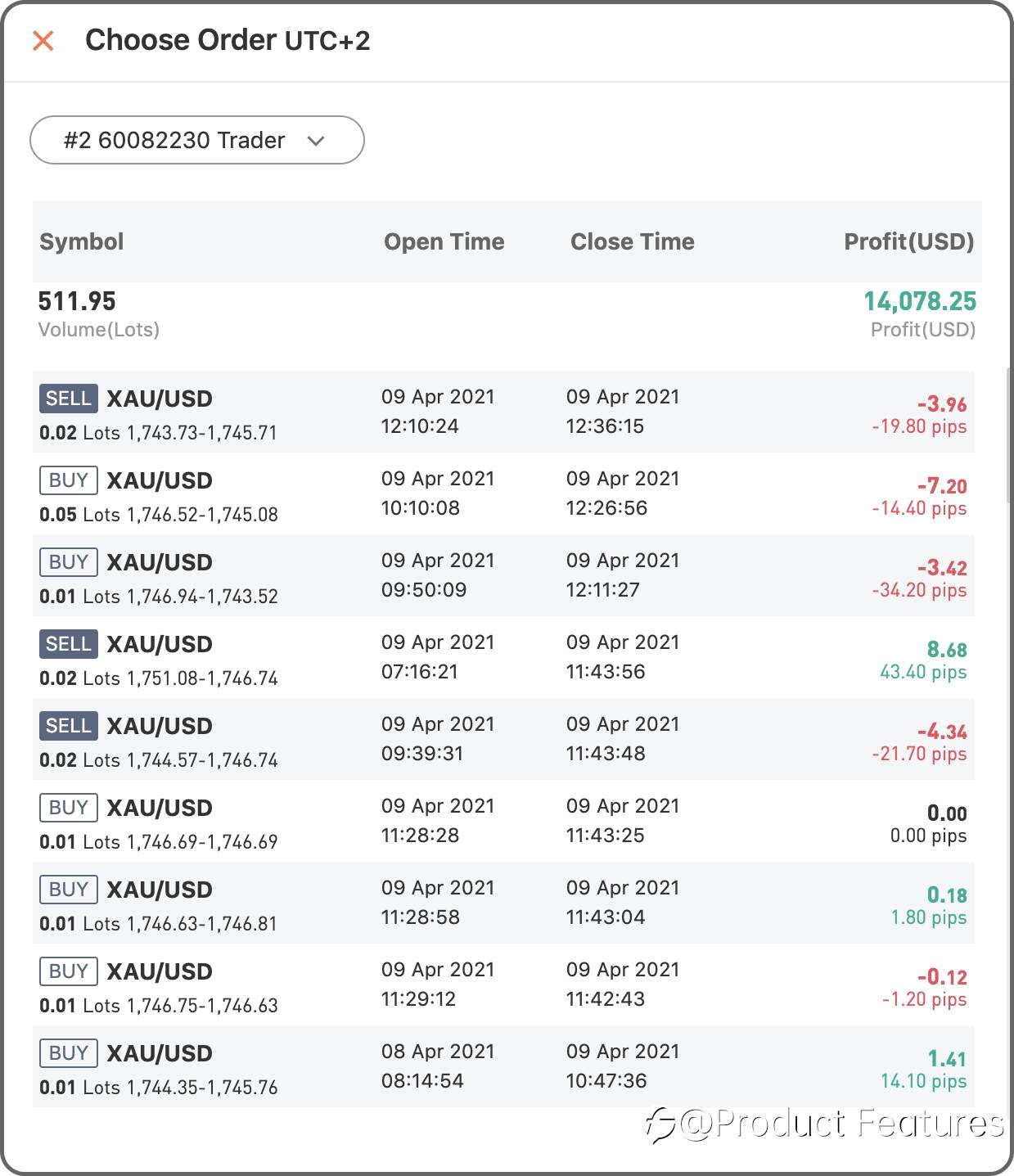
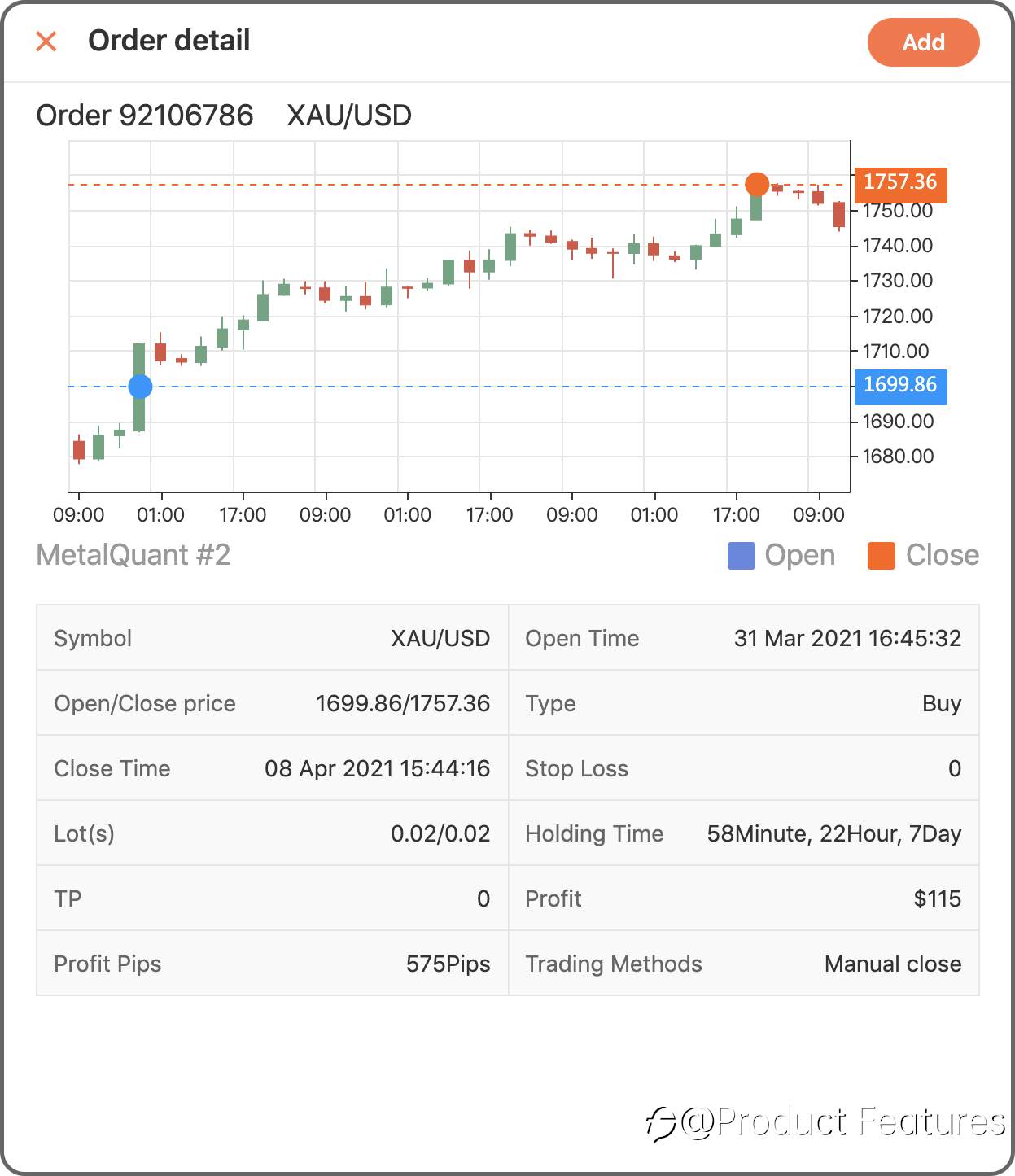
Easy?Go write your first trading notes.
แก้ไขเมื่อ 12 Apr 2021, 17:43
คำชี้แจง (Disclaimer) : เนื้อหาข้างต้นเป็นเพียงมุมมองของผู้เขียนแต่เพียงผู้เดียว และไม่ได้แสดงหรือสะท้อนถึงจุดยืนอย่างเป็นทางการของ Followme แต่อย่างใด Followme ไม่รับผิดชอบต่อความถูกต้อง ความครบถ้วน หรือความน่าเชื่อถือของข้อมูลที่ปรากฏ และจะไม่รับผิดชอบต่อการดำเนินการใด ๆ ที่เกิดขึ้นจากเนื้อหานั้น เว้นแต่จะมีการระบุไว้เป็นลายลักษณ์อักษรอย่างชัดเจน


เขียนข้อความของคุณตอนนี้